


Do Not Require Supplier Email in Purchase Order Creation

Apr 10, 2026
 0
0
Overview
If you're using the PO Pro Add-on to create and manage purchase orders in SmartOffice, you can customize which fields are required during PO creation. One of these fields is the supplier email address.
When to Use This Option
If you don’t want to include a supplier’s email address—or if you simply don’t have the correct one—you can choose to skip this requirement.
By enabling the “Do not Require Supplier Email in Purchase Order Creation” setting, you’ll no longer be prompted to enter the supplier's email when creating a new PO.
How to Enable
- Go to Company Settings
- Navigate to Purchase Order Creation > General
- Find the option labeled “Do not Require Supplier Email in purchase order creation”
- Toggle it on
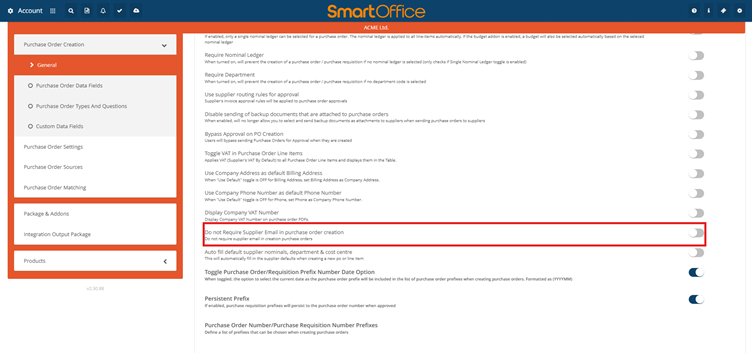
Once enabled, you can create purchase orders without needing to input a supplier email. You will be prompted to add the Suppliers Email address again when you click to send the PO.

